Authentication
Authentication with API Key
The Arpoone API uses the HTTP/JSON protocol and supports authentication through the use of an API Key, which must be provided as a Bearer token in the HTTP Authorization header. Example:
Authorization: Bearer ZTk1OGMwN2QtOGFmZi00MGY2LWIyY2ItNWFjM2FjNTUyYjg5
Each user on the Arpoone platform can have only one API Key, which is used by the Arpoone API to identify the user.
Organization ID Configuration
In addition to the API Key, many of the operations in the Arpoone API require specifying the Organization where the operation will take place, as a user may have access to more than one Organization. In operations that require specifying an Organization, it must be identified by the organizationId field in the HTTP request body. Example:
{
  "organizationId": "e2743dd6-0ac5-4251-8c12-3646f53adcf7",
  ...
}
Obtaining API Key and Organization ID
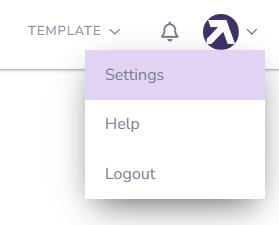
Step 1: Settings
Click on the Profile Picture in the top right corner and select settings.
Step 2: User Settings
In the side menu, go to User Settings -> API Key.

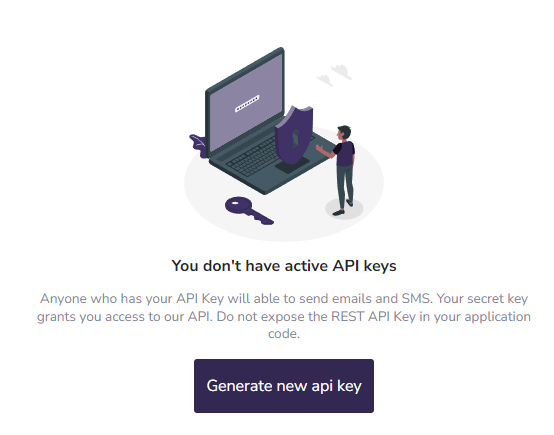
If you don’t have an API Key
Generate a new API Key by clicking the "Generate New Key" button.
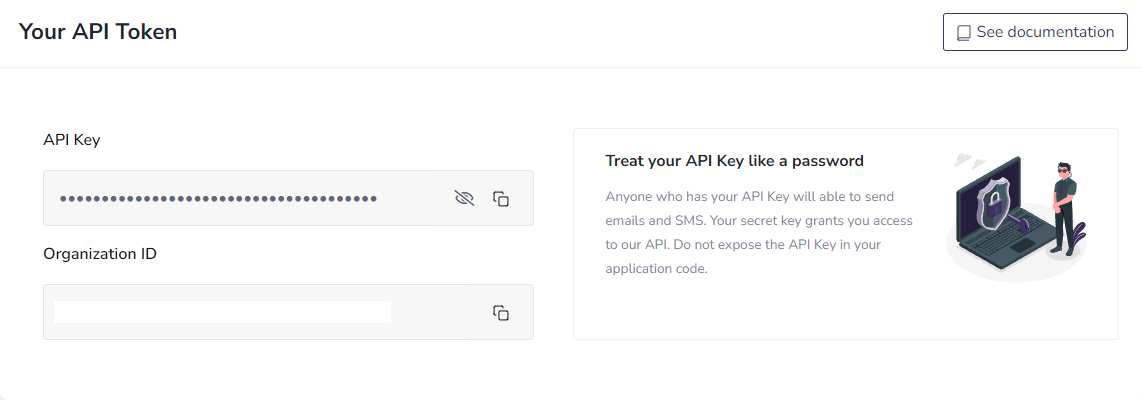
If you already have an API Key
Copy the API Key so you can configure it in the Authorization header.
Using the API Key
To use the API, add the following to the HTTP Authorization header in your requests:
Authorization: Bearer <<Your_APIKey>>
Example using cURL:
curl
--header 'Authorization: Bearer <<Your_APIKey>>'
--header 'Content-Type: application/json'
--data-raw '{
  "OrganizationId": "19349aea-796e-4836-a598-26b2daa31deb",
  "Messages": [{
    "To": [
      "to@email.com"
    ],
    "Cc": [
      "cc@email.com"
    ],
    "Bcc": [
      "bcc@email.com",
      "bcc2@email.com"
    ],
    "From": "sender@email.com",
    "DisplayName": "Sender",
    "Subject": "Subject",
    "ExpirationDateTime": "2022-01-01 12:00:00",
    "TextContent": "Content in simple text",
    "HtmlContent": "Content in <strong>HTML</strong> text"
  }]
}' -X POST https://api.arpoone.com/v1.2/email/send